Litbuy Sheetbook helps you discover products, inspect source photos and keep a shortlist. Your purchase, payment, warehouse services and international shipment are handled in your Litbuy account. This guide uses the Stussy shorts already listed on our website as a consistent example; it does not create an order for you.
Choose a category on Sheetbook
Start at the homepage and use one of the ten category links above the product grid. A category opens its own catalog page, where you can change the order to newest, lowest price or highest price. Open a product card to visit its independent details page. For our example, choose the shorts in the pants category. Product availability, variant prices and seller information can change, so a listing is a place to start your checks rather than a stock reservation.
Categories ↗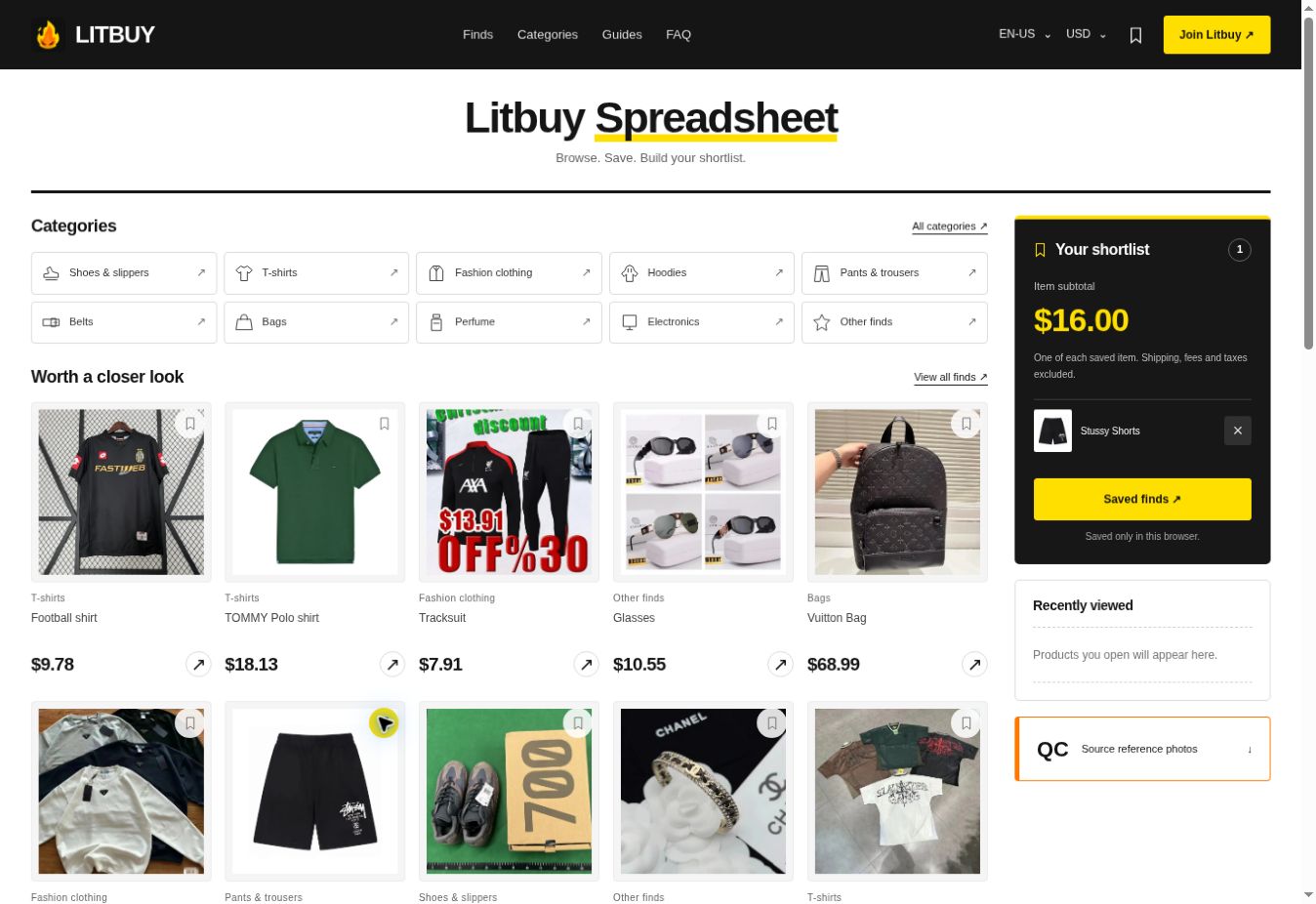
Build a shortlist and a starting budget
Use the bookmark icon on any product card to save that item. Your homepage shortlist shows the saved items and adds the reference price of one unit of each. Remove an item with the × button, or open the saved page to revisit the list. Select a display currency separately from the language menu; changing it also updates the displayed subtotal. Shipping, fees, taxes and extra quantities are excluded. The list stays in this browser and is not a Litbuy shopping cart or an account-synced order. Recently viewed items appear after you open their details pages.
Inspect the product page and reference photos
Check the translated product name and source item ID before using the buying link. The upper gallery displays seller images when available; the QC section lower down contains source reference photos. Enlarge a photo to inspect the cut, stitching, labels and visible measurements. For the example shorts, compare waist width, total length and leg opening with shorts that fit you. Existing photos may show another size, color or production batch. They help you assess the listing but cannot confirm the condition or authenticity of a future purchase.
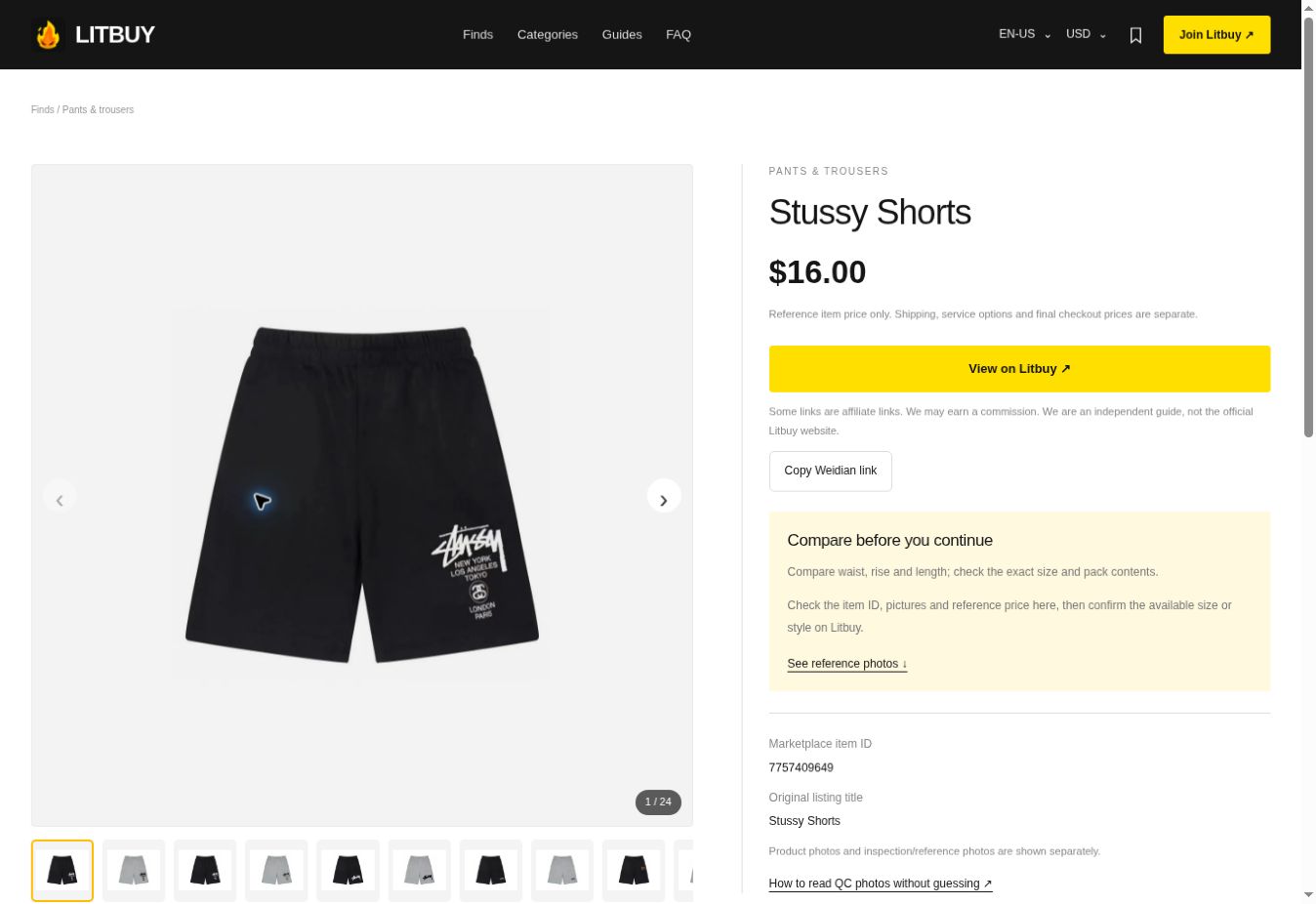
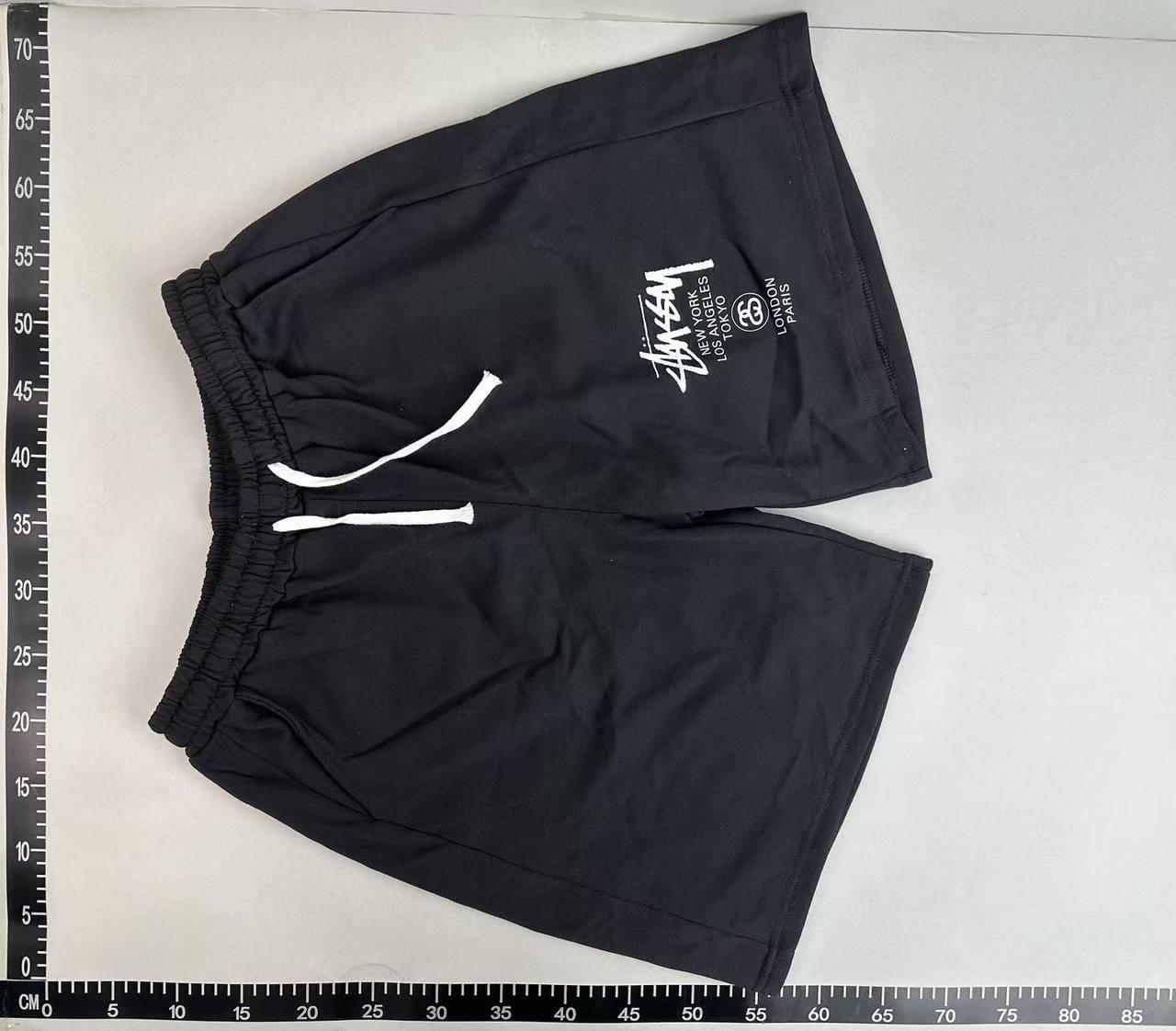
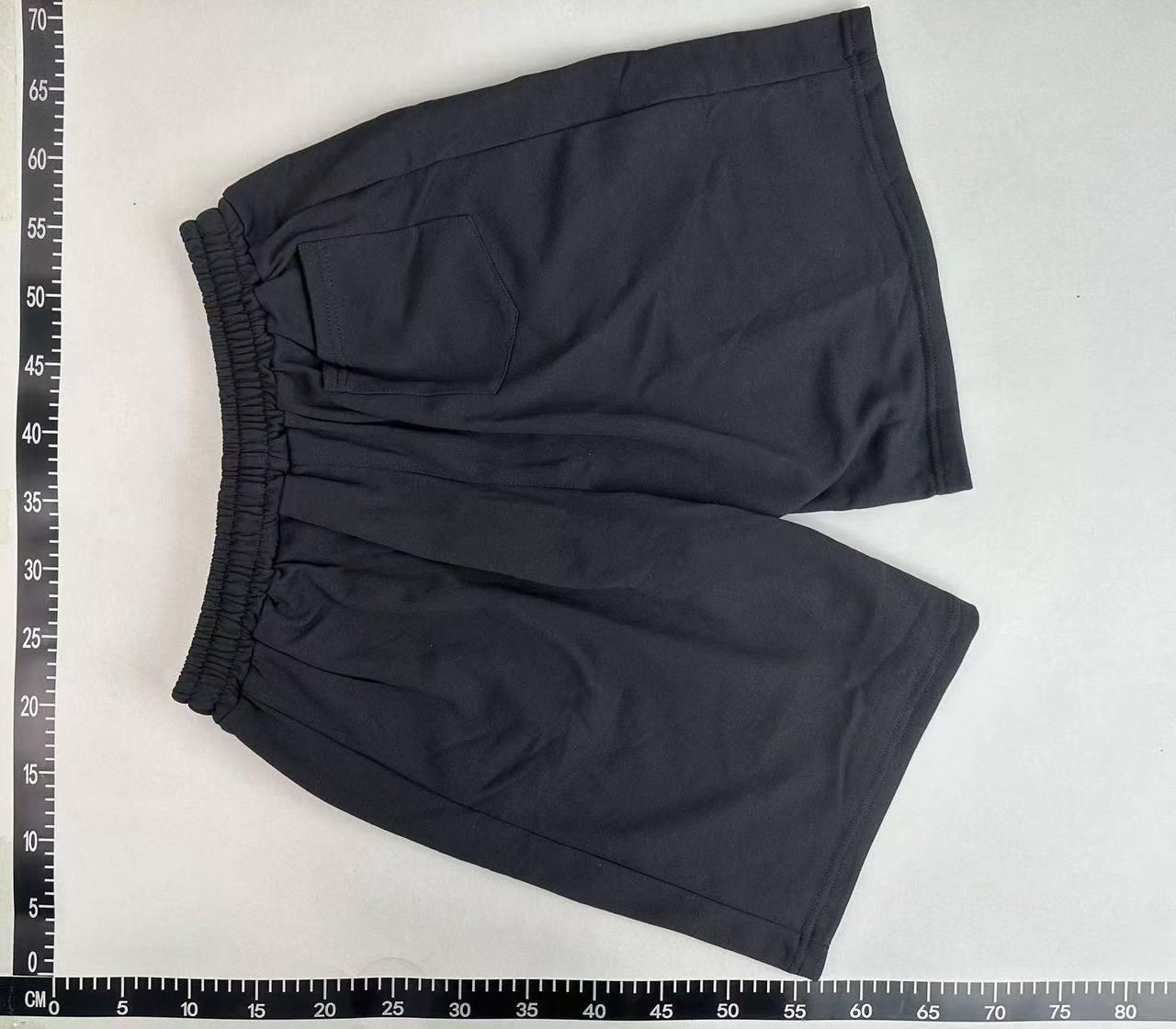
Source reference photos for these shorts. These are not QC photos of your own order.
Create or sign in to your Litbuy account
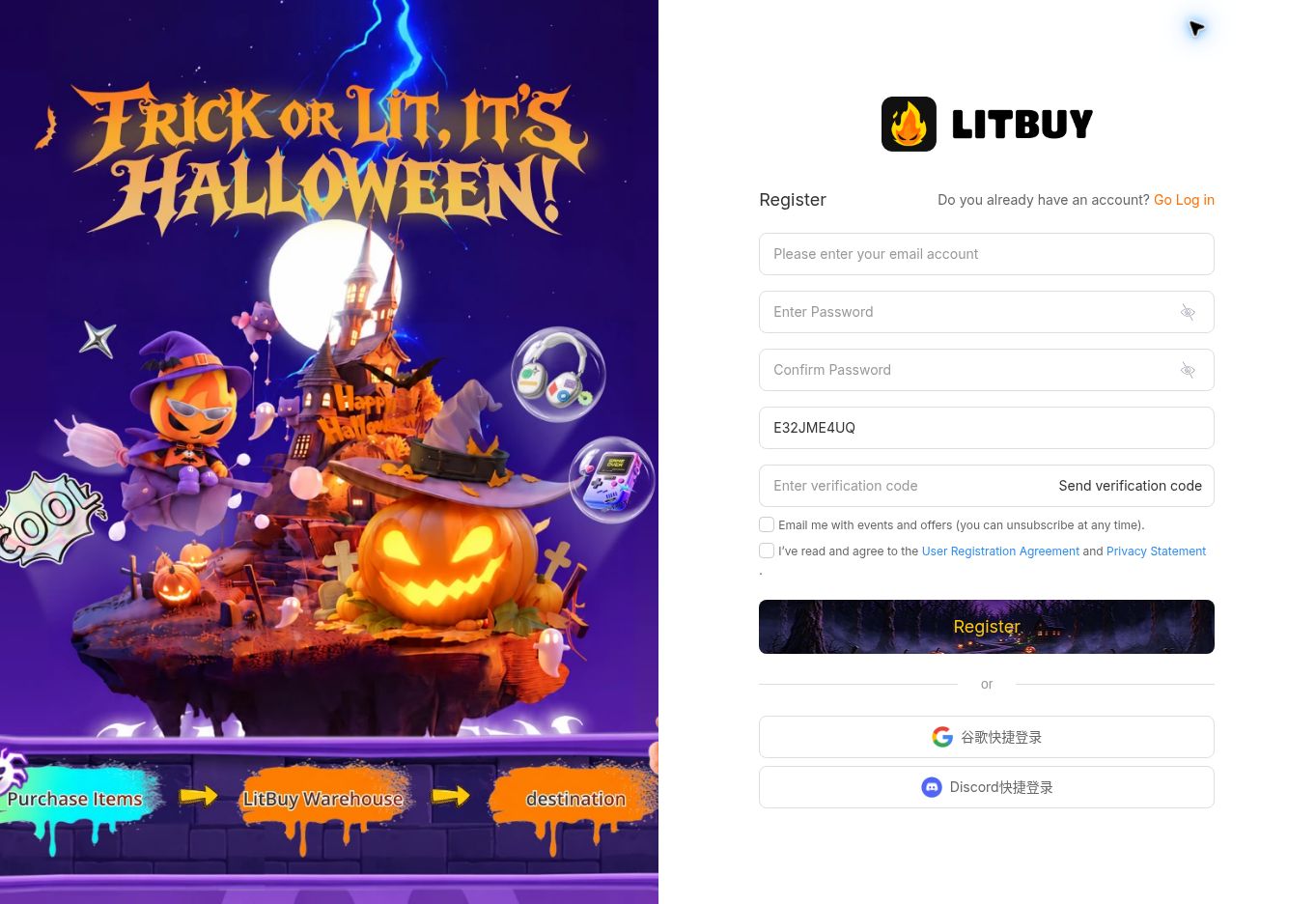
Use the Register button in this website’s navigation to open the linked Litbuy registration page. If you already have an account, sign in on Litbuy instead. Complete the registration or account checks shown by the platform, then return to the selected product if necessary. Keep your account credentials private and enter them only on the platform’s own sign-in page. Sheetbook does not need your password and does not take payment or manage your warehouse. Registration by itself does not buy or reserve a product.
Open the matching listing on Litbuy
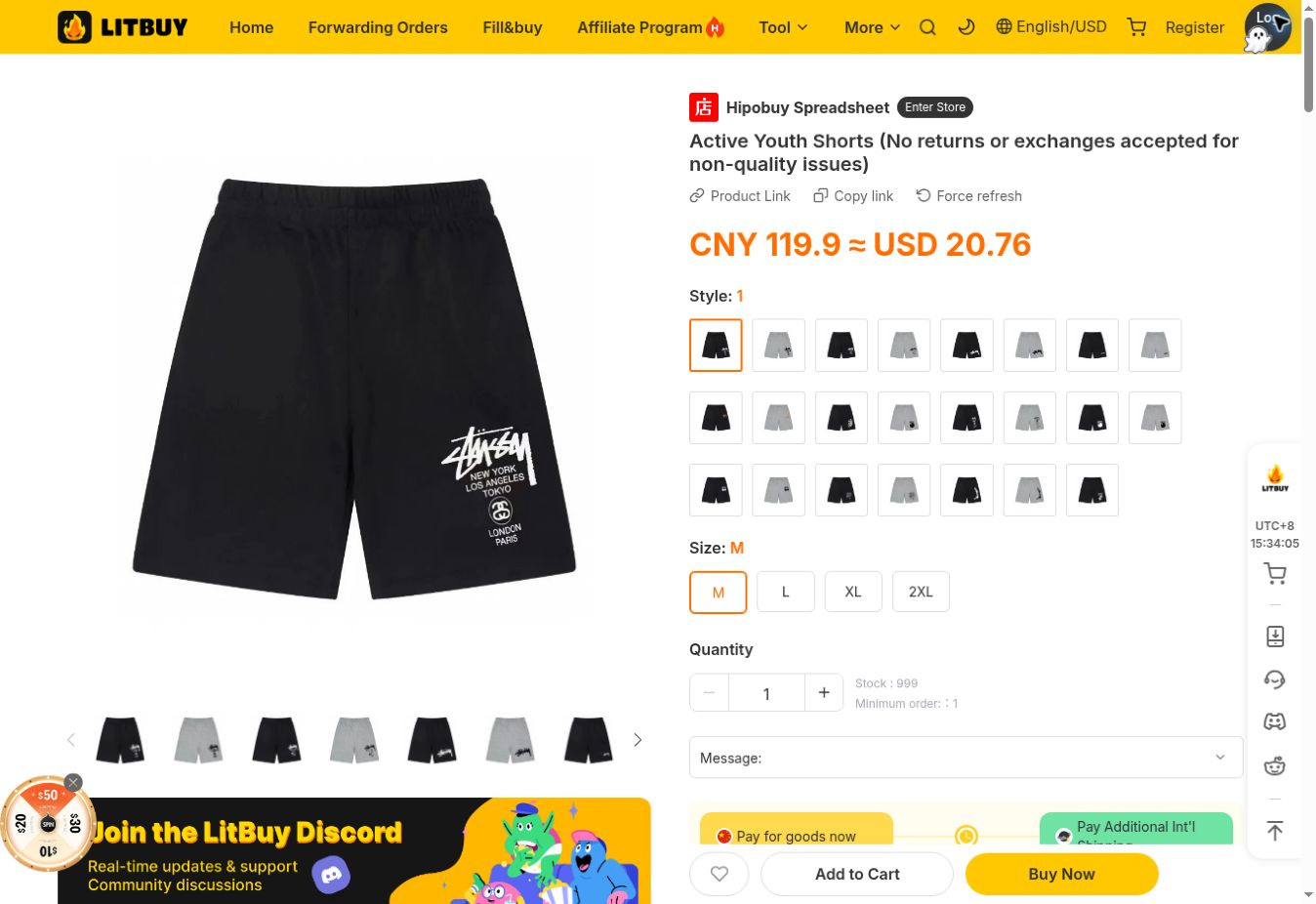
On the Sheetbook product page, use the Litbuy purchase button. It opens the platform listing associated with that product’s verified Weidian item ID. For the shorts example, the source item ID is 7757409649. Compare the item, photos and seller options after the new page opens; do not assume every image represents the default variant. If the destination is unavailable or the item does not match, pause before paying. The source-link copy button can help you identify the listing when asking platform support about a problem.
Open product details ↗Choose the exact size, color and quantity
On Litbuy, select the required variant and quantity before adding the item to the cart or proceeding to buy. Review the seller’s size chart, since a familiar S, M or L label is not enough to establish fit. For these shorts, choose your preferred style first and compare the listed measurements with your own clothing. Add any clear size or seller questions in the order message area when available. A note requesting a variation does not guarantee that the seller can supply it; resolve important uncertainties before confirming the purchase.
Review the order and pay for the items
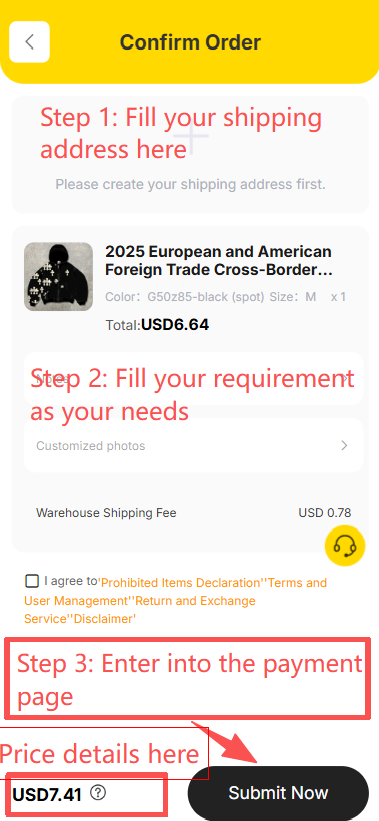
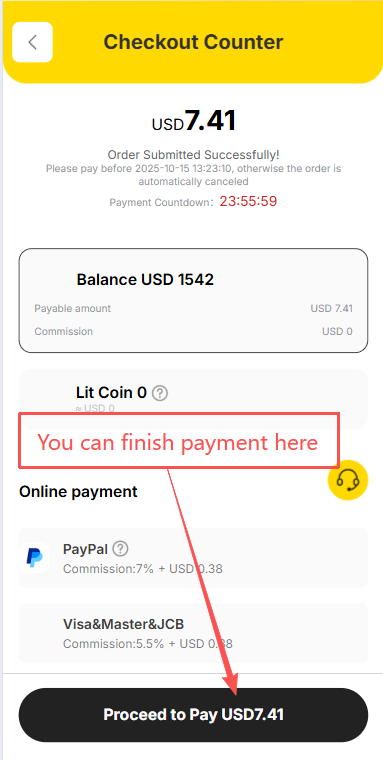
At checkout, check the product variant, quantity, item price, domestic delivery charges and any optional services. Supply the destination information requested by the platform accurately. Review the amount actually due and use an available payment method only when the details are correct. Do not treat the Sheetbook subtotal as the payment amount: currency conversion, current seller prices and selected options can change it. After a successful payment, find the order in your Litbuy account. Buying the items is a separate stage from arranging and paying for the later international parcel.
Follow purchasing and domestic delivery
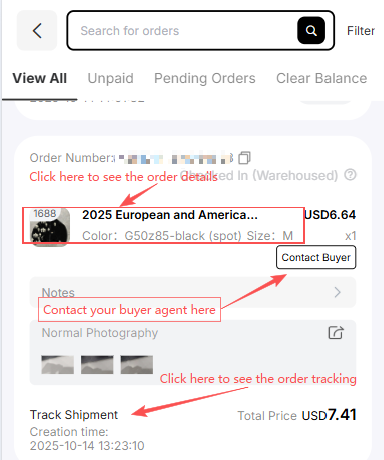
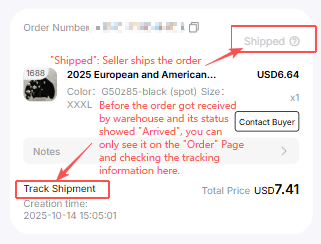
Open the Orders area in your Litbuy account to follow purchasing, seller dispatch and delivery to the warehouse. A submitted order, a purchased item and an item stored in the warehouse are different stages. The seller normally sends the goods to the Litbuy warehouse first, not directly to your home. Arrival at a delivery point may precede warehouse scanning and storage. Watch the actual order messages for unavailable variants, price changes or requests for confirmation, and contact the assigned agent through the order if clarification is needed. Processing times vary; this guide does not promise a fixed completion time.
Check QC for your own warehouse items
After storage, open the relevant item in your Litbuy Warehouse and review the QC photos associated with your order. Match the color, size, quantity and identifying details with what you selected. For the shorts, inspect the front and back, waistband, seams, marks and any available measurements. If a crucial angle or measurement is missing, ask about an additional photo before shipping and check whether it costs extra. Contact support about an issue while the item is still in the warehouse; return eligibility and deadlines depend on the applicable order terms. The reference photos on Sheetbook are not a substitute for this check.
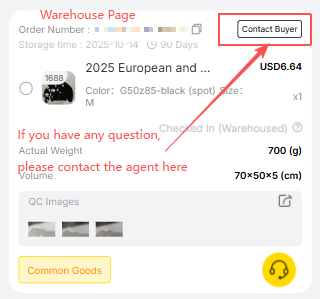
Select warehouse items and prepare a parcel
When the items you want are stored and checked, select them in the Warehouse and start the parcel submission process. You may choose to combine suitable items; consolidation does not guarantee a lower final cost. Confirm the recipient’s full name, destination, postcode and contact details. Review the available packing choices and any associated service charges, especially if packaging removal or protection could affect the item. Provide accurate contents and declaration information wherever requested. Check the selected route’s item restrictions and destination requirements before continuing.
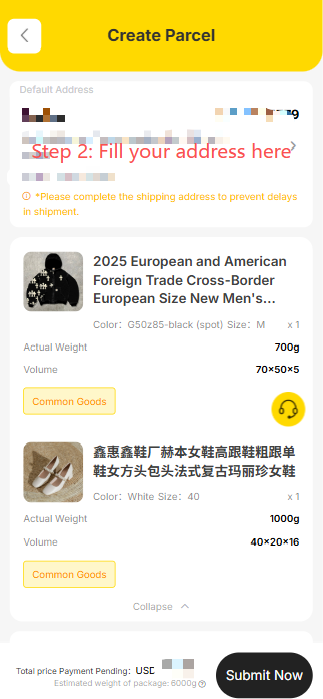
Choose shipping and review the final charges
Compare the available routes for your destination using price, estimated transit time, tracking, restrictions and any protection terms that matter to you. The available choices depend on the actual parcel and account information. Weight, dimensions and packaging can affect the charge; an early estimate is not a guaranteed final amount. Apply a valid coupon if the checkout accepts it, then check the amount and conditions before paying for international shipping. Follow the parcel page for any adjustment after packing or final measurement. Do not assume taxes, customs costs or every extra service are included unless the chosen option explicitly says so.
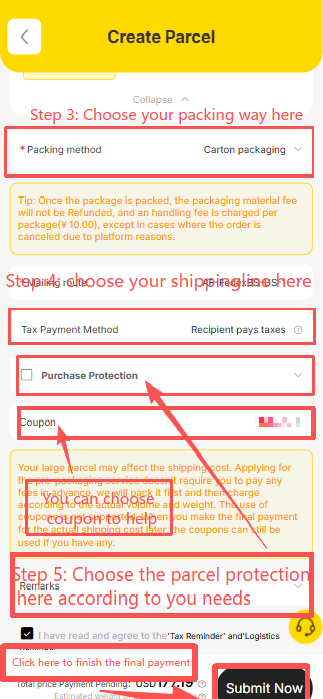
Track the parcel and inspect it on arrival
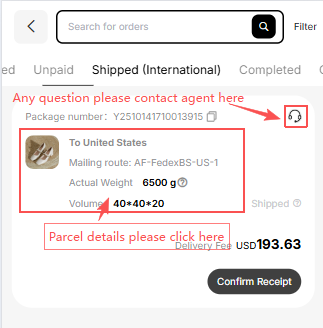
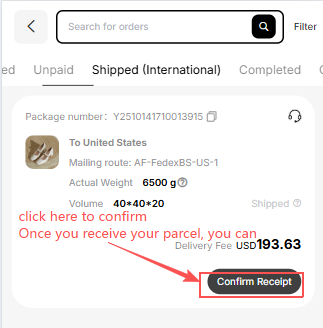
Use the Parcels area of your Litbuy account to follow dispatch and tracking updates. A tracking number may appear before the carrier records its first movement. Keep the parcel and order references available if you need help with a delivery update. When it arrives, check the packaging, item count, chosen variants and visible condition before confirming receipt. Keep photos and packaging if something is missing or damaged, and report the issue through the relevant order or parcel support channel. Follow the platform’s current instructions and deadlines; this guide cannot promise a refund or claim outcome.